

TLS certificates are valid for increasingly shorter periods, which makes manual certificate maintenance an increasing burden. But the firebox is now able to renew certificates automatically.
The validity is reduced in the following way: from 398 days to 200 days (March 2026), then to 100 days (March 2027), and finally to 47 days (March 2029).
At these intervals, manual renewal is hardly practical anymore and a strong argument for automated certificate management. And this is precisely where WatchGuard now offers a new feature for automated certificate renewal using the Let’s Encrypt certificate service. The Firebox requests and installs certificates on its own and renews them automatically. This removes a large part of the manual effort involved in certificate management.
Workflow
- You can request Let’s Encrypt certificates at the device level in WatchGuard Cloud as an alternative to the standard CSR workflow
- The Firebox communicates directly with Let’s Encrypt to validate domains and obtain certificates
- The Firebox automatically renews certificates before they expire with no user action required
Configuration (Cloud-Managed Firebox)
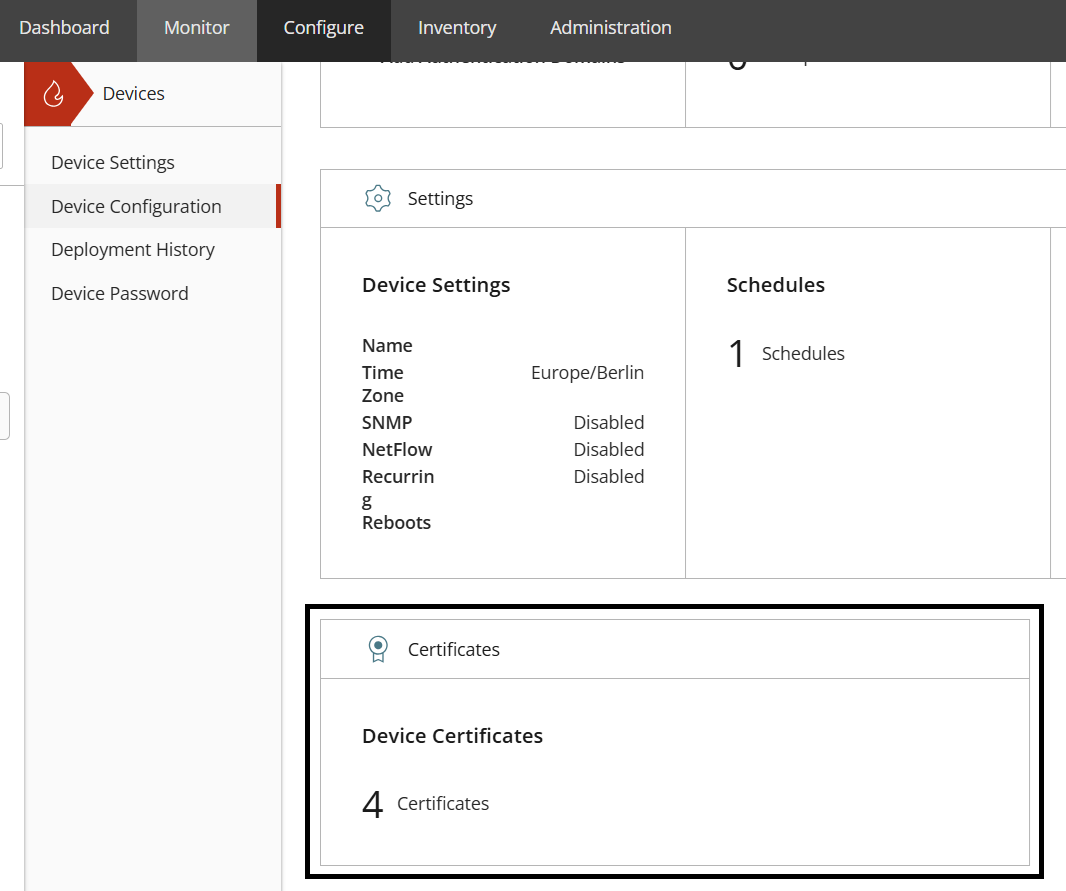
Go to the WatchGuard Cloud (cloud.watchguard.com), choose your cloud managed device and go to the Device Configuration > Certificates menu:
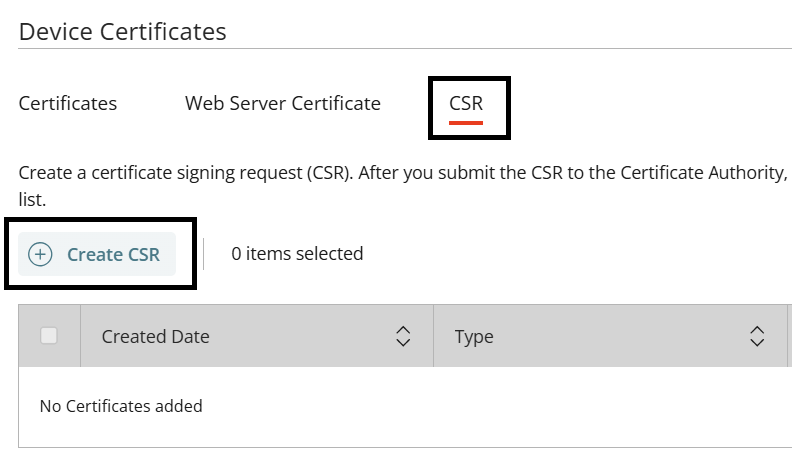
Go to CSR > Create CSR:
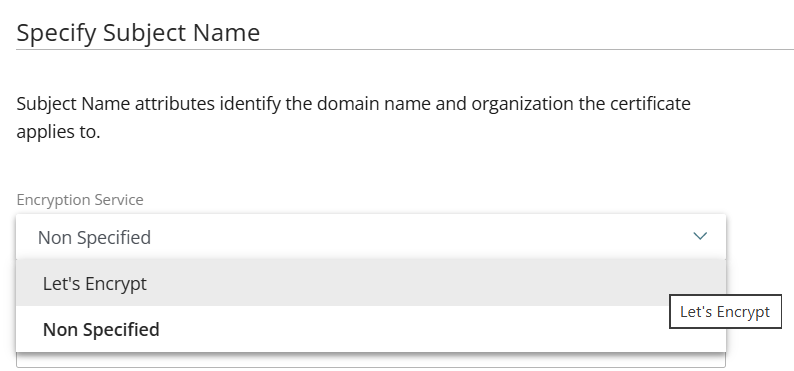
No choose “Let’s Encrypt” as the certificate provider:
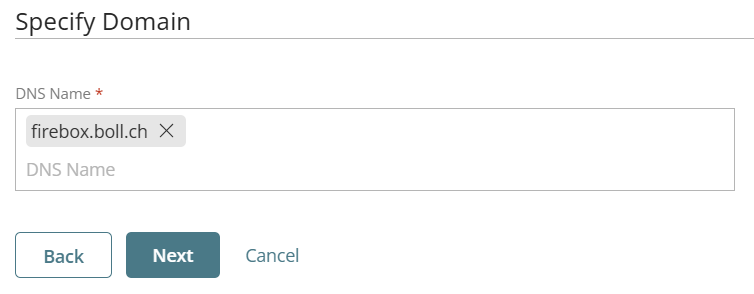
Accept the Let’s Encrypt Terms and Conditions and set one or more FQDN you want to use in your certificate:
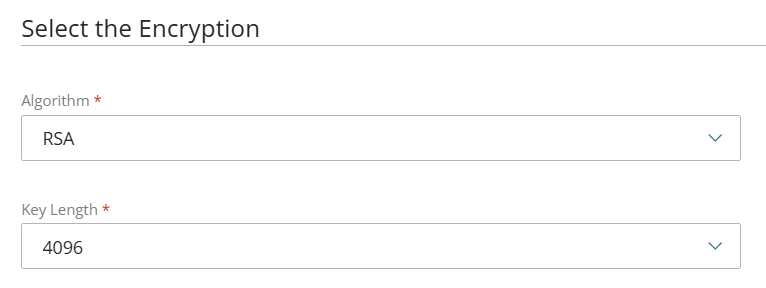
Use the predefined encryption algorithm and key length (our recommendation) or choose your own values:
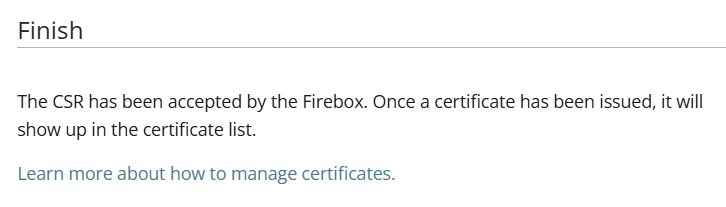
After you click done, you can see that the process started and the certificate is going to be
Configuration (Locally-Managed Firebox)
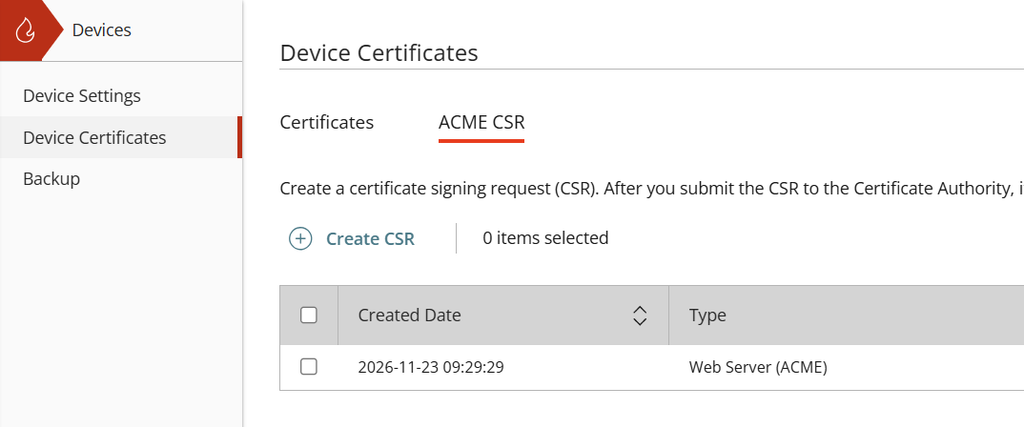
If a Firebox is locally-managed but still used in the cloud, the ACME interface can also be used.
Go to the WatchGuard Cloud (cloud.watchguard.com), choose your locally-managed device and go to Certificates > ACME CSR.
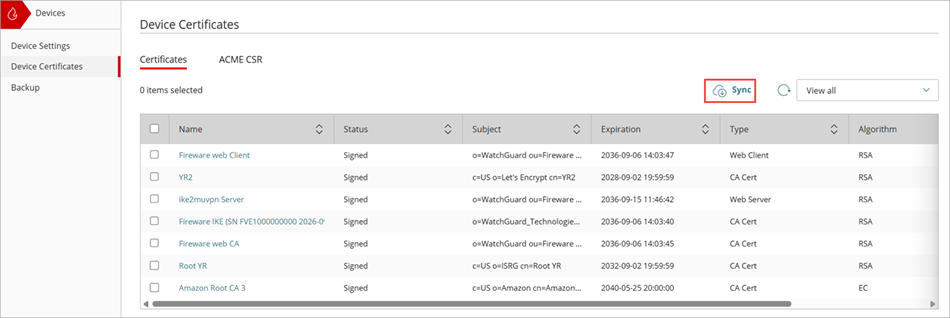
After generating the certificate, you can sync the certificate to the locally-managed Firebox and use it in the WebUI:
Prerequisites
Currently, the integration is available with Fireware 2026.4 on the T115-W, T125/-W, T145/-W, T175, T185, M295, M395, M495, M595, M695, M4850, M5850, and M6850 models. The feature is available for Fireboxes managed through WatchGuard Cloud or for locally-managed Fireboxes integrated in the WatchGuard Cloud.
Further information
https://www.watchguard.com/help/docs/help-center/en-US/Content/en-US/WG-Cloud/certificates_create_csr.html > Scroll down to “Request a Let’s Encrypt Certificate”
