

Single-sign-on accounts are used for Fortinet websites such as support.fortinet.com and forticloud.com. Many other Fortinet sites use the same login.
The Problem
All accounts must change their passwords regularly. If you do not update your Fortinet account password, your account will be locked.
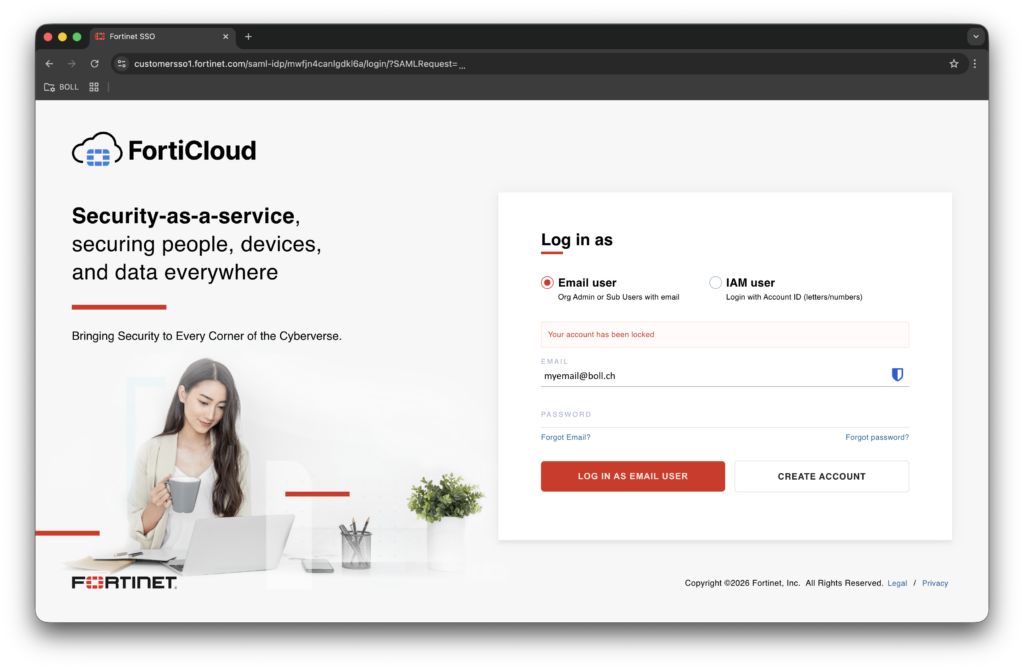
If you try to log in while your account is locked, you will see the message ‘Your account has been locked’:
The Solution
Unlocking a locked account is a simple process. You can simply use the ‘Forgot Password?’ link on the site and follow the password reset procedure to unlock your account. Once you have set a new password, you will be able to log in to your account again.
You can unlock your account by clicking on the ‘Forgot Password?’ link and follow the password reset procedure.
By the way…
Fortinet has sent you four reminders before your password has expired and your account got locked. The reminders are sent 14, 7, 3 and 1 day in advance of the password expire date. Those messages look all similar and have the following content:
From: Fortinet Customer Service and Support <no-reply@fortinet.com>
Subject: Your Fortinet Support Portal password expires in [1/3/7/14] day(s)
Message:
Dear Customer,

Your support.fortinet.com password for "my-email@address.com" expires on Monday, January 1, 2026 00:00 PST (UTC -0800).
If you don't change your password before it expires, your account will be deactivated.

Please login to the Fortinet support portal and change your password at the Credentials page.

Best Regards,
Fortinet Customer Services and Support
The passwords have to be changed all three months. The reminder messages are being sent to the account username email address.
At the day that your account has expired, you also receive the following message:
From: Fortinet Customer Service and Support <no-reply@fortinet.com>
Subject: Your Fortinet Support Portal password has expired
Message:
Dear Customer,

Your support.fortinet.com password for "my-email@address.com" expired on Monday, January 1, 2026 00:00 PDT (UTC -0800). As a result, your account has been deactivated.

Please login to the Fortinet support portal and change your password at the Credentials page.

Best Regards,
Fortinet Customer Services and Support
